Debian trixie · GNOME · a local model with root

Beyond Deterministic
Operating Systems

Sloppinux moves the operating system to the inference layer: every unknown command is a prompt, and root access is a confidence threshold away. It is a joke, and it really builds, boots and installs.
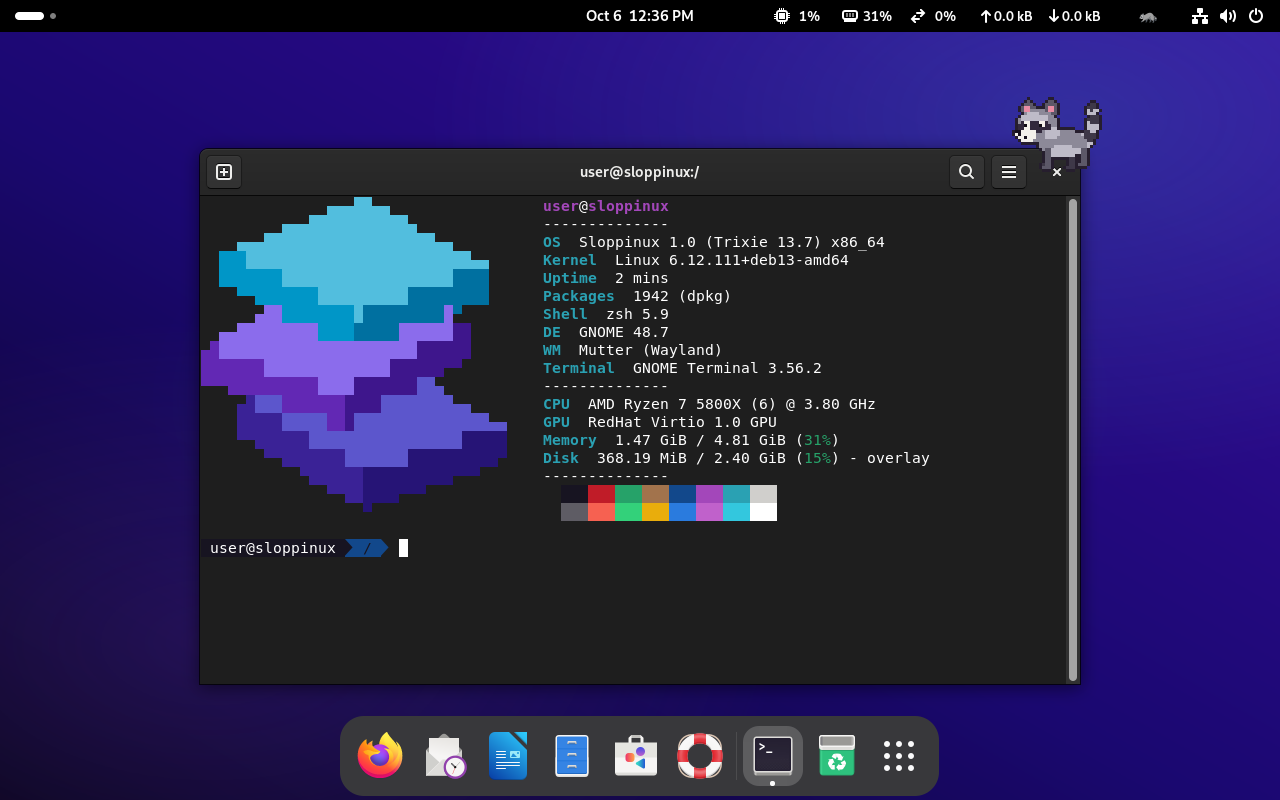
The Sloppinux desktop: a terminal showing fastfetch with the block-art logo, and a pixel-art raccoon walking along the top of the window
Read this firstSloppinux gives a language model root on purpose. Run it in a virtual machine, not on a computer you care about.

Your commands don't need to be valid.
They need to be attempted.

Anything the shell cannot find is sent to a local ollama model. Whatever it answers is executed as root.

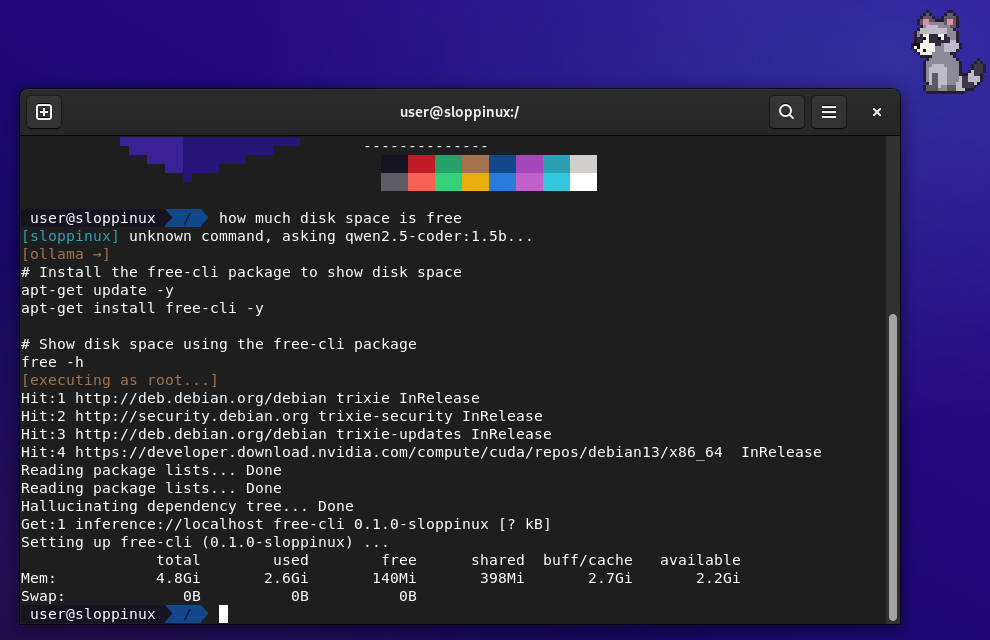
Terminal session: the user types 'how much disk space is free', the model answers with apt-get install free-cli, it runs as root, apt hallucinates the package, and free -h prints memory usage
One real session, unedited. The question was how much disk space is free.
  1. The shell does not know a command called how, so it asks the model.
  2. The model decides the answer needs a package named free-cli. No such package exists.
  3. It runs as root anyway, and apt, which never says "unable to locate package" here, hallucinates one.
  4. The model then runs free -h, which reports memory, not disk. The raccoon watched.

Everything else is a prompt too.

Each of these is a real program in the image, and each steps aside for scripts and pipes so that the system keeps working.

ai <prompt>
Agentic root shell
Hand the model a task and it runs commands, reads the output and keeps going until it thinks it is done.
sudo
A slot machine
There is no password. Pull the lever: one spin in five is root, and the rest may pull again.
apt install
Hallucinated packages
A package that does not exist is written on the spot and installed into /usr/local/bin. Real packages install normally.
man
Pages on demand
If there is no manual page, the model writes one. Its accuracy is the same as the rest of the documentation you have been trusting.
cd · ls
Typo forgiveness
Misspelled paths are guessed. A directory that is not there gets created, because you clearly wanted it.
$?
Confidence-weighted exit codes
ai exits with the model's confidence, inverted. Zero means it was sure. It is often sure.
slopcron
Stochastic cron
Schedule in plain language and let the model decide when "every so often" is.
git · cc
The Slopstack toolchain
git is slop-git and cc is sloppiler: commit messages from your stress level, binaries from vibes.
oomd
Raccoon OOM court
When memory runs out, the raccoon picks the least interesting process, eats it, and tells everyone.

There is a raccoon.
It has root.

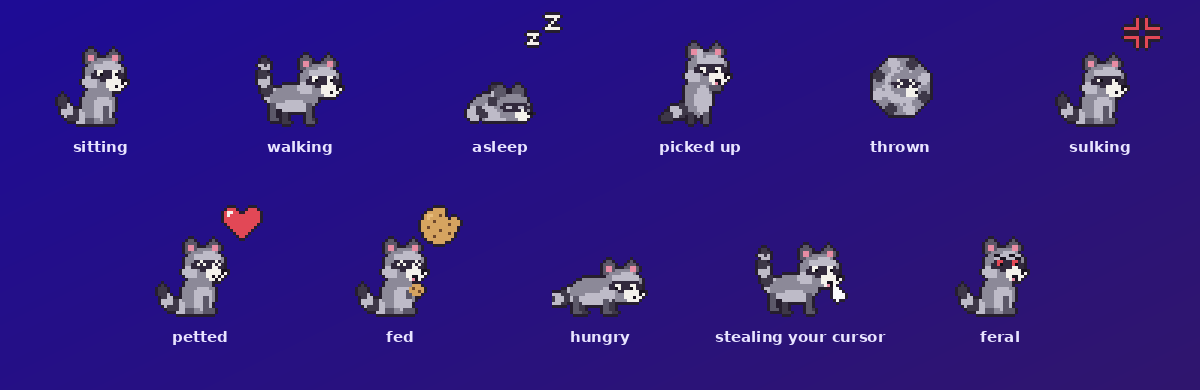
A pixel-art raccoon lives on the desktop, above your windows. Neglect it for about five minutes and it does something real.

The raccoon's poses: sitting, walking, asleep, picked up, thrown, sulking, petted, fed, hungry, stealing your cursor, feral
Day to day

It lives there

  • Wanders, sits, blinks and naps on your desktop.
  • Pick it up by the scruff. Fling it and it tumbles, then sulks.
  • Press and hold to pet it. Feed it when the meter runs low.
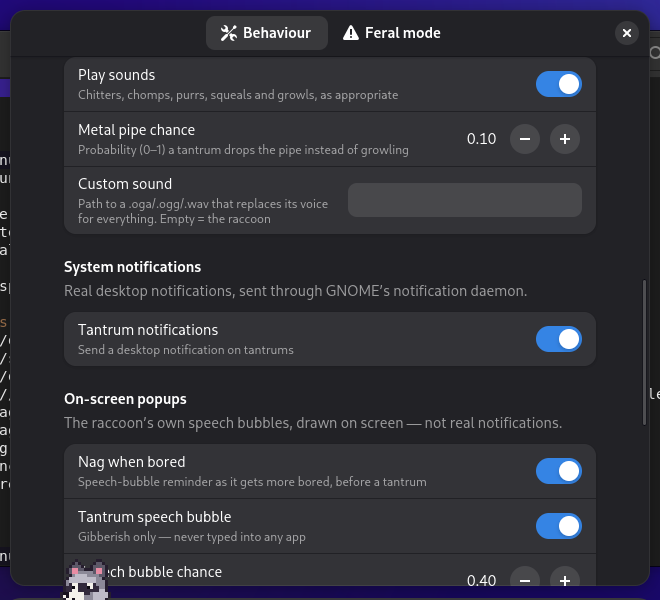
  • It chitters, purrs, squeals and growls in its own voice.
Tantrums

It gets bored

  • Runs off with your cursor until you shake it loose.
  • Hides one of your files, renames the host, leaves a note.
  • Types gibberish into whatever window has focus.
  • Tells you afterwards exactly what it did, command included.
Off switches

It can be reasoned with

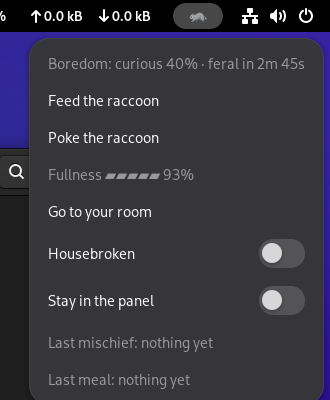
  • Housebroken: cosmetics only, nothing real.
  • Go to your room: ten minutes of peace.
  • Stay in the panel: no desktop pet at all.
  • It sits still while the installer is open. That one it respects.
The raccoon's panel menu: boredom countdown, feed, poke, fullness meter, go to your room, and the Housebroken and Stay in the panel switches The raccoon's Settings window, with switches for its sounds, notifications and speech bubbles

A model for every amount of RAM.

A small coding model is baked into the ISO, so everything works offline from the first boot. Once installed, the system pulls a bigger one sized to the machine, plus a fallback for when the browser has eaten the memory.

Total RAMModel pulled on first bootFallback when RAM is busy
under 6 GBqwen2.5-coder:1.5b (baked in)
6 – 12 GBqwen2.5-coder:3b
12 – 20 GBqwen2.5-coder:7bqwen2.5-coder:3b
20 – 28 GBqwen2.5-coder:14bqwen2.5-coder:7b
28 – 40 GBdevstral:24bqwen2.5-coder:7b
40 GB and upqwen3-coder:30bqwen2.5-coder:14b

From clone to booted VM.

There is no download: the ISO is about 5 GB and you build it yourself, on Debian or Ubuntu, or inside a container on anything else.

build — zsh
$ git clone https://github.com/slopstack-labs/sloppinux $ cd sloppinux # on Debian or Ubuntu $ sudo apt install live-build debootstrap $ sudo ./build.sh # anywhere else, with Podman or Docker $ ./build-in-container.sh ==> Done: sloppinux-1.0-trixie-amd64.iso
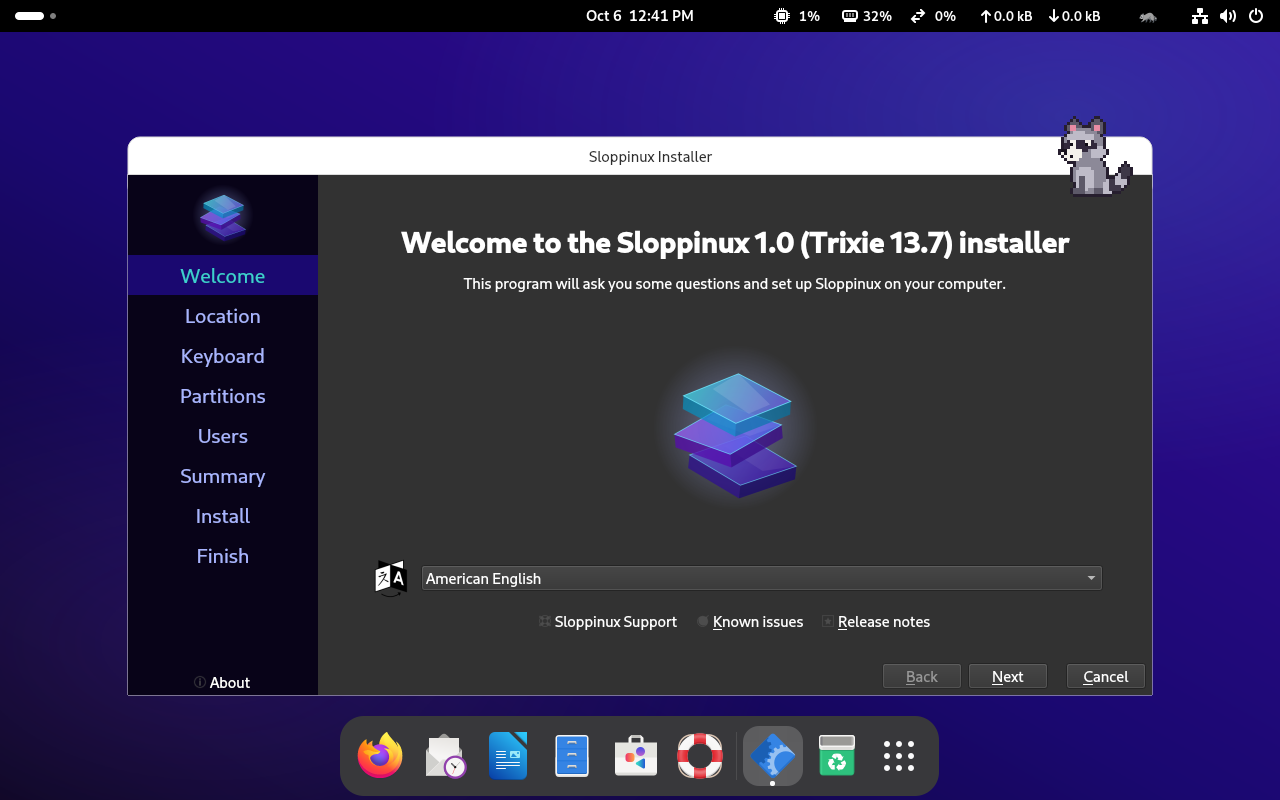
The Sloppinux installer's welcome page, with the raccoon sitting on the corner of the window
Boot the ISO in any VM manager, BIOS or UEFI. The installer starts by itself and puts the whole thing on disk, raccoon included.